
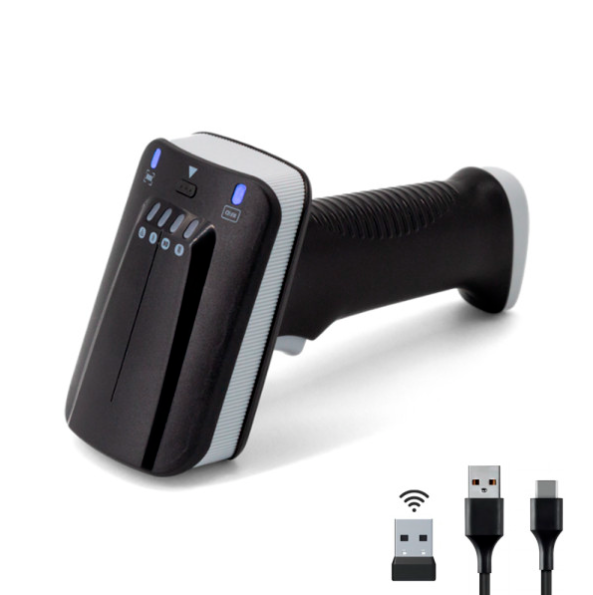
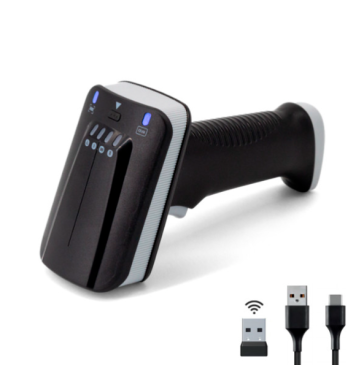
The Yanzeo SR290 UHF RFID Reader & Wireless Barcode Scanner features a simple, barcode-based auto-sleep function to help you optimize battery life and device performance. Here’s how to set it up and what it can do for you:
How to Set Auto-Sleep in 2 Steps
Enter Setup Mode
Scan the configuration barcode:

Select Your Time Interval
Scan a time-specific barcode to activate the auto-sleep timer. For example:

This process requires no software, no cables, and no technical expertise—just two quick scans to customize your device’s behavior.
Key Benefits of Auto-Sleep
- Extended Battery Life: Automatically powers down the device after a period of inactivity, reducing unnecessary power drain and ensuring your scanner is ready when you need it.
- Increased Productivity: Eliminates the need for manual shutdowns and restarts, keeping your workflow uninterrupted.
- Customizable Control: Choose the exact idle timeout that fits your work environment, whether you’re in a fast-paced retail store, a busy warehouse, or a logistics operation.
For more details on the Yanzeo SR290, visit the product page:https://www.yanzeorfid.com/pid18442677/YANZEO-SR290-UHF-RFID-Reader-1D-2D-Wireless-Barcode-Reader-Bluetooth-PDA-Long-Range-Handheld-Terminal-Barcode-Scanner-for-Clothing-Store-Shoe-Store-Supermarket-Warehouse.htm

Validate your login